Pen Guide: Hand-Drawn Line Patterns
Engine guide · Updated 19 September 2026
In short: Pen draws the sett you built in Sett by hand. Choose a fineliner, a fountain pen, a brush pen, a marker or a pencil, and the stripes become lines and hatching laid on the real boundaries of your design — still a seamless repeat.
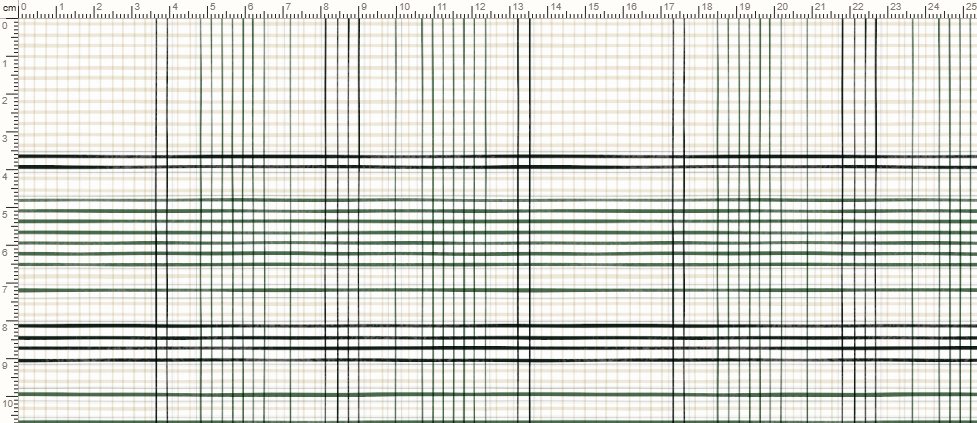
What Pen is for
Pen sits between Sett's technical precision and Watercolour's soft paint: a clean, legible line, closer to a hand-inked stripe than a woven thread. It is a good fit for design presentations, mockups and products where a lighter, more graphic line reads better than heavy texture. It reads the same design as Sett and Watercolour, so a palette and a sett move between all three.
The pen
Pick a pen first; each one sets the sliders to where that tool naturally sits.
- Pens — fineliner, fountain pen, brush pen, marker and pencil.
- Strokes — how close the strokes lie: this many to every twelve threads of width, so a broad ground takes many and a guard line one.
- Weight — how wide the nib is. It is the same on every stripe, so a fine pen stays fine on a broad ground.
- Hand — how unsteady the hand is: how far each stroke wanders off the line it was aiming for.
- Wave — how much each stroke undulates along its length.
- Pressure — how much the nib is pressed and lifted, so the line swells and darkens, then thins and lightens.
- Dry pen — how often the ink runs thin. It breaks where the paper's tooth is high, so a dry stretch reads as the sheet, not as a gap.
- Contour — a stroke ruled along each edge of the stripe before it is filled, the way a drawn stripe is usually started.
- Paper — the sheet's tooth and fibre, and what the dry pen catches on.
You can also describe it in words: "red and cream gingham in pencil, sketchy, fine line".
Files
Export a PNG at 72, 150, 300 or 600 dpi, redrawn at the export size, or show the design on a product with "On a product". Every plan can export Pen, and the plans differ in export points (EP) a month, tile size and dpi. See the pricing page for the full table.
Who uses Pen
Designers presenting a concept to a client or buyer often prefer the lighter, in-progress look of a pen drawing to a fully rendered cloth. It reads as a design sketch rather than a finished product, which suits the early part of a pitch.
Try it live: Pen exports on every plan, Free included.
Choose what to create →Frequently asked questions
Is Pen the same engine as Watercolour?
They are two hands for the same cloth. Both read the same sett and share the cloth, light and finish panels, but they draw differently: Watercolour paints wet colour, Pen draws lines.
Can I export Pen designs for print?
Yes. Pen exports as a seamless PNG at the resolution your plan allows, not only as a preview.
Which should I pick for a pencil look?
Pen, with the pencil selected. Watercolour is wetter and more blended; Pen stays a dry, linear line.