Straight, Half-Drop and Brick Repeats
Guide · Updated 20 September 2026
In short: a seamless pattern is one tile laid next to itself, and there are three usual ways to lay it. Straight puts every tile square under the last. Half-drop drops each new column by half a tile. Brick shifts each new row sideways by half a tile. The artwork does not change; how easily the eye finds the grid does.
The three lattices
It is worth being precise, because "offset the next row a bit" is not the same thing. A repeat is defined by two vectors — how far you step to reach the next tile across, and the next tile down. Those two steps are the whole difference:
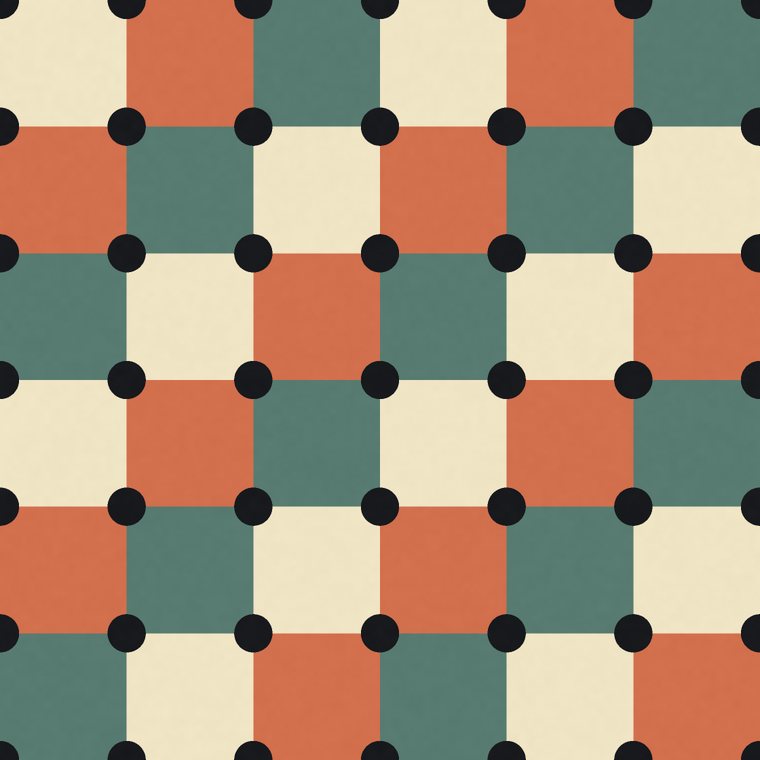
- Straight —
(w, 0)and(0, h) - Half-drop —
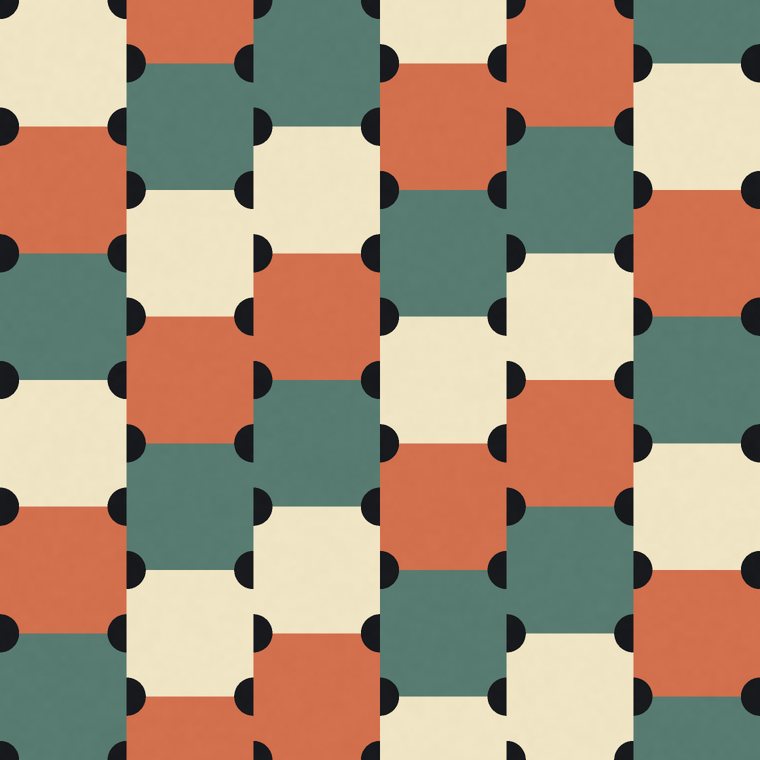
(w, h/2)and(0, h) - Brick —
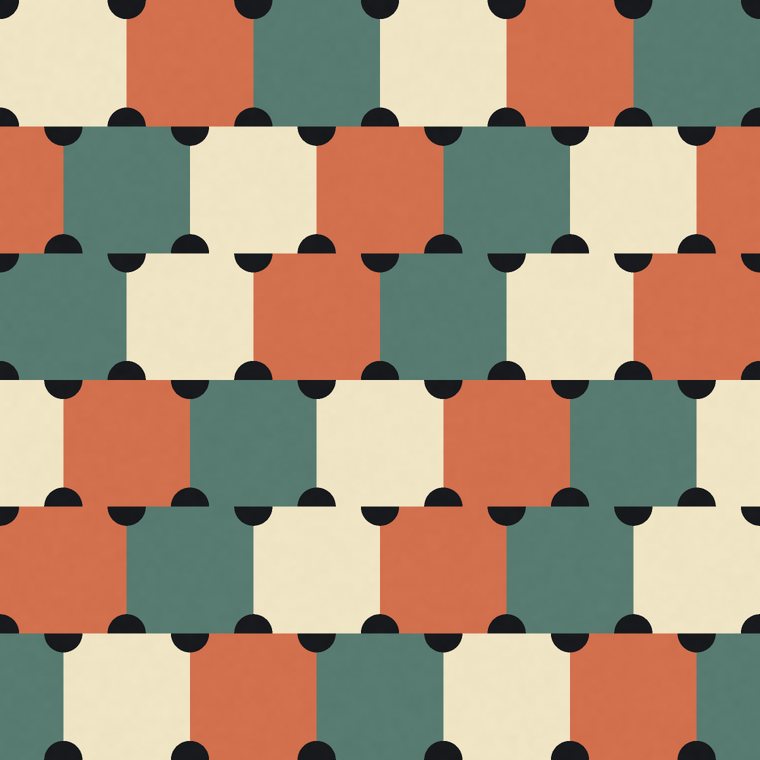
(w, 0)and(w/2, h)
Brick is a half-drop laid on its side. That is not a figure of speech — swap w and h in the second line and you have the third. Which one you want therefore depends on which way your motif runs: drop the columns when the motif stands upright, shift the rows when it runs across.
The same pattern, the same tile, the same colours, in each of the three:
Why a half-drop hides the repeat
Nothing is added. The tile is identical in all three pictures; only the lattice changed. What the drop buys is period: in a straight repeat the motif returns to the same height every tile, so the eye can lock onto a row and follow it. Drop the columns and a given height only comes back every second column, so the distance the eye must hold in memory before it recognises a repetition is twice as long. You get a longer rhythm without drawing any more artwork — which is why a half-drop is the default for most commercial wallpaper and a great deal of yardage.
There is a real technical trap underneath this, and it is the reason a half-drop done badly is worse than a straight repeat. The drop has to be part of the wrapping, not applied to a finished tile. A tile's right edge matches its left edge at the same height; if you render the tile first and then drop the next column, that match is broken and every motif crossing a vertical edge is cut in half. Our engines put the drop into the wrap itself, so each copy is placed where the repeat will actually put it and the join closes. If you offset tiles by hand in an image editor, this is the step that usually goes wrong.
When a half-drop does nothing
Two cases, both worth knowing before you spend an afternoon toggling a control that cannot help you.
A tossed field. If the motifs are scattered rather than placed on a grid, there is no row for the drop to break. We rendered the same tossed botanical in all three layouts and the three files came out pixel-for-pixel identical. A toss already has no grid to hide, so the repeat length is the only thing hiding it — make the tile bigger instead.
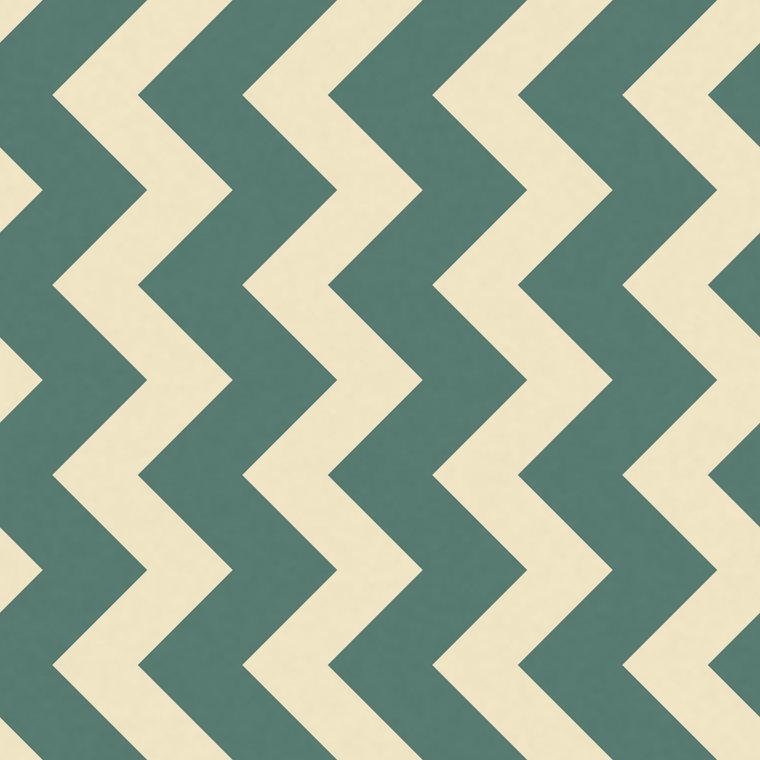
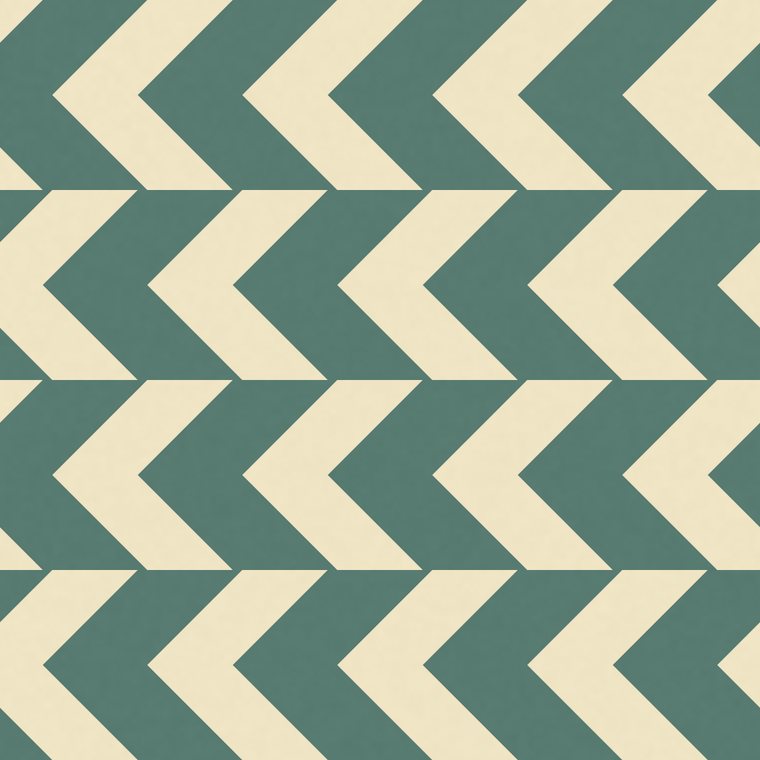
A pattern that runs across the tile. A chevron, a zigzag braid, a wave: the motif crosses from edge to edge, so dropping a column by half a tile would cut every pass in half rather than stagger it. For those, the engine deliberately accepts brick only — offsetting rows slides whole passes, which is the effect you actually wanted:
What a half-drop costs at export
This one catches people at the print shop rather than on screen. A half-drop's repeating unit is two tiles wide, even though the tile you designed is one. So the file you export is twice as wide as the repeat you set, and the pixel count follows:
- A 20 cm half-drop is a 40 × 20 cm file — 4724 px across at 300 dpi, which is fine; at 600 dpi it would be 9449 px, which a browser will not encode.
- The same design straight at 20 cm stays 20 cm wide and does reach 600 dpi.
- A 64 cm half-drop is a 128 cm file. It hides the rhythm beautifully and it is past what can be encoded at 300 dpi in a browser, which is why our Floral repeat default is not 64.
The practical rule: if you need the highest resolution a print-on-demand service will take, a straight repeat gives you more headroom; if you need the repeat to disappear, spend it on the half-drop and set a smaller physical repeat. Our print-on-demand pixel sizes page has the centimetre-to-pixel sum worked out per product.
Woven cloth does not have this control
If you are working in the woven engine, you will not find a half-drop, and its absence is correct. A loom does not lay tiles: the warp runs the full width of the cloth and the pattern is the sequence of threads across it, so there is no column to drop. The equivalent question there is whether the sett mirrors or repeats — which is a different notation entirely. Layout is a printing idea, and it belongs to the print engines.
Try it live: switch a design between straight, half-drop and brick and watch the same tile change rhythm — the drop goes into the wrap, so the repeat stays seamless whichever you pick. Free to start, no credit card.
Choose what to create →Frequently asked questions
What is a half-drop repeat?
A layout in which every other column of tiles is dropped by half a tile's height. The
artwork is unchanged; the vertical step between tiles across becomes h/2 instead of
zero, so the horizontal rows no longer line up.
Is a brick repeat the same as a half-drop?
It is the same idea rotated. A half-drop offsets columns vertically, a brick offsets rows horizontally. Choose by the direction your motif runs: drop columns for upright motifs, shift rows for motifs that run across.
Which repeat best hides the pattern?
Half-drop or brick, because the distance before the eye sees a repetition doubles for free. But on a tossed, gridless field neither one changes anything — there a larger repeat is the only thing that helps.
Does a half-drop make my export bigger?
Yes: the repeating unit is two tiles wide, so the file is twice as wide as the repeat you set. A 20 cm half-drop is a 40 × 20 cm file. That is the one thing to plan for if you need a very high dpi.
Can I half-drop a stripe or a chevron?
You can ask, but it will not do what you hope. A motif that crosses the tile from edge to edge gets cut by a column offset rather than staggered, so for those patterns our engine applies brick only — which slides whole passes instead.